Spotify
TanStack Start & TanStack Query

4 hours, 23 minutes
CC
Course Description
Build production-ready apps with TanStack! Explore the full ecosystem, from Router to Start to Query, while leveraging server-side rendering, type-safe routing, caching strategies, and React Server Components. Walk away with the skills to ship high-performance full-stack React apps.
Prerequisite: Complete Intro to React or experience building fullstack applications.
Preview
Course Details
Published: June 10, 2026
Rating
Learning Paths
Learn Straight from the Experts Who Shape the Modern Web
Your Path to Senior Developer and Beyond
- 300+ In-depth courses
- 24 Learning Paths
- Industry Leading Experts
- Live Interactive Workshops
Table of Contents
Introduction
Section Duration: 15 minutes
 Adam Rackis introduces TanStack Start, covering course requirements and the workout tracking app's key features, with setup requiring only Node and NPM (plus optional Docker for a persistent database). He also explains the distinction between TanStack Router and TanStack Start, highlighting how Start extends Router with server-side support for improved performance and reduced network round trips compared to single-page applications.
Setup
Section Duration: 37 minutes
 Adam introduces Drizzle, his favorite ORM, explaining how it adds TypeScript static type checking on top of SQL. He walks through setting up Drizzle with a config file and demonstrates how DrizzleKit efficiently queries workouts, sets, and exercises in a SQL-like syntax.
 Adam explains the difference between flat file and directory routes in TanStack Router, covering how routes are structured and organized. He demonstrates setting up and validating search parameters and navigating using TanStack Router's strongly typed functions.
 Adam demonstrates how to add a loader to a route and retrieve dynamic data using the useLoaderData hook, emphasizing the need to avoid circular dependencies. He discusses the isomorphic nature of loaders in TanStack Start, highlighting how running on both server and client improves SEO and user experience.
 Adam introduces TanStack Router's not found component, which automatically renders when routing to an invalid URL, and demonstrates how to programmatically trigger it for errors like invalid workout template IDs. He also shows how to customize the component with specific error messages to improve the handling of 404 errors.
Server Functions
Section Duration: 1 hour
 Adam introduces server functions in TanStack, explaining how they run exclusively on the server for safe execution of server-only utilities like Postgres drivers. He demonstrates creating strongly typed server functions using createServerFunction and showcases TanStack's built-in loading indicators like pendingComponent and pendingMinMilliseconds.
 Adam introduces route caching in TanStack Router, explaining how stale time and garbage collection time properties control whether data is cached or refetched. He demonstrates how to invalidate the cache by reloading specific routes or clearing it entirely for a better user experience.
 Adam introduces loading data in layouts, demonstrating how to add a loader and access data using useLoaderData to avoid unnecessary backend requests. He also covers pathless layouts as a way to organize routes without affecting the URL structure.
 Adam explains the benefits of server-side rendering for delivering initial content faster than single-page applications. He demonstrates implementing streaming by returning promises from the loader, which the framework resolves and pushes down to the client when ready.
 Adam demonstrates implementing Suspense in React 19 by wrapping components in a suspense tag with a fallback, using the new use hook to block rendering until promises resolve. He emphasizes strategically placing suspense boundaries in the component tree to balance efficient data loading with a smooth user experience.
TanStack Query
Section Duration: 39 minutes
 Adam introduces TanStack Query, explaining key components like the useQuery hook, query key, and query function, and demonstrating how stale time and GC time control data freshness. He also shows how to invalidate active queries while removing inactive ones from the cache to prevent stale data.
 Adam demonstrates integrating TanStack Query with TanStack Router for server-side rendering, showing how to access the query client in the loader using reusable query options functions. He highlights how isomorphic loaders in TanStack Start seamlessly hydrate server-loaded data into client components.
 Adam explains how to integrate Suspense with TanStack Query using useSuspenseQuery to block rendering until data is ready, and demonstrates using React 19's useTransition hook to prevent full page unloads during pagination. This combination provides a smoother user experience when handling loading states and transitions.
 Adam demonstrates paging data with the page stored in the URL, explaining how to use loaderDeps to rerun the loader when query string parameters change and useDeferredValue to manage suspensions during transitions. He concludes by summarizing data loading topics covered and addressing error handling in production using React error boundaries and robust logging systems.
Middleware
Section Duration: 50 minutes
 Adam introduces middleware, demonstrating how to attach it to server functions and run code on both client and server sides. He walks through passing arguments to middleware and stacking multiple middlewares to showcase the order of execution in the chain.
 Adam explains how context values in middleware stay within their respective client or server sides unless explicitly sent across using the sendContext property. He demonstrates restructuring middleware functions to ensure proper type flow, allowing values to be accessed across client and server callbacks.
 Adam demonstrates how server functions interact with the middleware chain, walking through the sequential execution of code and the flow of control between client and server sides. He explains how the presence of client callbacks determines how control moves through the middleware during server function invocation.
 Adam introduces a basic logging middleware that records start and end times on both client and server sides, using a trace ID to link related events. He demonstrates sending context between client and server in a simplified example to help students understand core middleware concepts.
 Adam introduces single flight mutation as a technique to optimize data updates by reducing network round trips. He demonstrates a complex middleware implementation leveraging React Query to efficiently coordinate server and client-side actions for data invalidation and updates.
Advanced Routing
Section Duration: 28 minutes
 Adam introduces server routes as stable API endpoints that execute only on the server, demonstrating how to convert a regular route into an API route by defining handlers and HTTP verbs. He also highlights key differences between fetching data on the server versus in the browser and potential complications that can arise.
 Adam addresses the issue of local storage not being defined during server rendering, demonstrating how to resolve it by setting the SSR property to data only and disabling loader execution on the server. He walks through allowing the pending component to execute properly, highlighting the importance of understanding selective hydration.
 Adam introduces static prerendering in TanStack, walking through a proof of concept blog setup where a server function scans the file system for markdown files. He discusses the two-step static pre-generation process and the use of middleware to ensure true static pre-rendering.
RSCs
Section Duration: 25 minutes
 Adam discusses React Server Components (RSC) and their integration with TanStack, focusing on how RSC improves performance by rendering components exclusively on the server, reducing client bundle size, and enhancing initial load times. RSCs are React components that render only on the server, unlike traditional SSR, which renders on both server and client. Initial page load uses server-side rendering (SSR) to send HTML to the browser. The browser then hydrates the content, re-rendering components to enable interactivity (event handlers, effects).
 Adam demonstrates how to fetch and display dynamic user data in an RSC using a database connection, replacing static hard-coded data. Adam also focuses on improving user experience by avoiding blocking and content shifts during slow data loads using Suspense.
 Adam explains how to integrate interactivity into React Server Components, focusing on handling client-side state and rendering interactive UI elements, such as a sliding side panel. The side panel component uses the shadcn UI library. Adam converts it to a client component so the user avatar triggers the panel to slide in, showing navigation and user info.
Wrapping Up
Section Duration: 5 minutes
 Adam wraps up the course by discussing TanStack's simpler model and potential performance advantages over Next.js for server-side rendering, citing benchmarks showing its benefits.
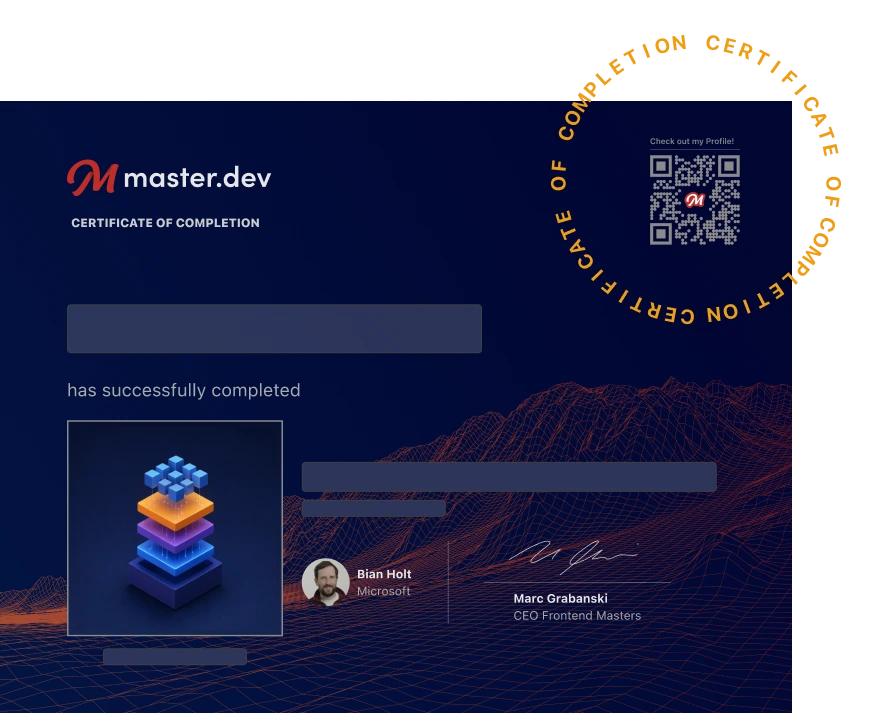
Earn a Completion Certificate
After completing this course, you'll receive a certificate of completion that serves as proof of your achievement, showcasing your expertise, and commitment to professional development. You can easily share this certificate on your LinkedIn profile to highlight your new skills and demonstrate continuous learning to potential employers and professional connections.
What They're Saying
Was a great overview of the framework. Excited to start using in my own projects and projects at work.

Ryan Mercadante
Adam provides a *fantastic* overview of what makes TanStack Start different (and arguably better) than its alternatives. It will give you everything that you need to do to start (pun intended) creating full-stack React apps the modern way.

Mikaël Sévigny
I had no idea about TanStack Start before this workshop, but the course made me understand a lot about it, and now I am thinking of using TanStack for my future projects and investing more time on it. I love it <3

Ahmed Sheikh