Vercel
Svelte & SvelteKit, v2

4 hours, 55 minutes
CC

Course Description
Build resilient, accessible, high-performance web apps with Svelte and SvelteKit. Learn how Svelte's compiler helps you write concise reactive components that do minimal work in the browser, then use SvelteKit to create a full-stack app with auth, complex UIs, and progressive server-rendered workflows. Ship delightful user experiences with less code!
Prerequisite: You should have a solid grasp of
HTML, CSS, and modern JavaScript, and feel comfortable with
Node.js and the command line.
Preview
Course Details
Published: August 17, 2026
Rating
Learn Straight from the Experts Who Shape the Modern Web
Your Path to Senior Developer and Beyond
- 300+ In-depth courses
- 24 Learning Paths
- Industry Leading Experts
- Live Interactive Workshops
Table of Contents
Introduction
Section Duration: 10 minutes
 Rich Harris introduces the course by explaining what makes an app resilient, accessible, efficient, and maintainable, and outlines Squirrel, the file storage app you'll build throughout the workshop. He also shares his background creating Svelte and Rollup, and explains why the course intentionally avoids AI tools so you build a real understanding of the framework.
Svelte Basics
Section Duration: 55 minutes
 Rich defines Svelte as both a framework and a language for describing user interfaces, compiled into JavaScript that runs in the browser or on the server. He demonstrates how to add data to a component using a script tag and shows why alt attributes matter for accessible images.
 Rich unpacks reactivity in Svelte, showing how the state rune creates reactive variables that update the DOM as the app's state changes. He also covers deep reactivity with objects and arrays, and demonstrates inspecting state changes with tools like inspect.
 Rich dives into effects, showing how to interact with web APIs or handle tasks that are hard to express declaratively. He stresses the importance of cleaning up after effects, such as returning a callback to clear a setInterval.
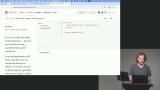 Rich walks through passing data between components using props, including how to declare and reference them. He also covers spreading an entire object as props to avoid duplicative prop passing.
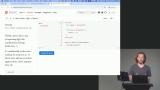 Rich shows how Svelte's syntax handles conditional rendering with if and else blocks, much like plain JavaScript. He then demonstrates the each block for iterating over list items and dynamically rendering content from array elements.
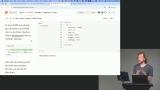 Rich covers adding event listeners with the on-prefixed attributes, explaining why lowercase event names matter for simplicity and future-proofing. He then introduces the bind directive for two-way data flow, including handling numeric inputs without manual coercion.
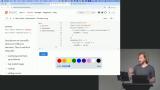 Rich examines Attachments, a way to run element-level lifecycle functions such as integrating third-party libraries or custom event handling. He compares them to the older use directive, arguing Attachments are more flexible and the better long-term choice.
Building an App with SvelteKit
Section Duration: 1 hour, 12 minutes
 Rich outlines how SvelteKit streamlines routing, server-side rendering, and data fetching compared to plain Svelte. He then uses the Svelte CLI to scaffold a new app, walking through template, add-on, and experimental feature choices.
 Rich breaks down a SvelteKit project's folder structure, covering source, lib, lib/server, and routes. He also explains env.ts, distinguishing dynamic from static environment variables and their effect on the app.
 Rich sets up global styles, defining custom properties for theming and using box-sizing: border-box for consistent element widths. He then adds a font from Fontsource and shows how hot module reloading reflects CSS changes instantly.
 Rich builds a login page for the file storage app, adding a splash screen, login form, and supporting styles. He also covers importing and displaying logo assets with accessibility in mind, and refining button styles to highlight the primary action.
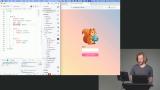 Rich creates a remote function to handle form submissions on the server using method="post" and the action attribute. He then adds validation with Valibot to catch bad input and leans on the browser's native form submission for added resilience.
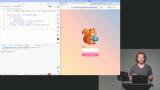 Rich sets up the database tables needed for auth (users, sessions, and AT Protocol state) and generates migrations with Drizzle before pushing them to a local SQLite database. He then wires up AT Protocol's OAuth client, explaining how the callback URL and login flow work without needing to pre-register the app with an auth provider.
 Rich sets up a server route file matching a specific callback URL to control how the app responds to incoming requests. He then wires up the authentication flow, creating a client, generating a login URL, and redirecting users through it.
 Rich creates a getUser remote function that looks up a user from a session ID, handling missing or invalid sessions. He then builds a requireUser query on top of it, redirecting unauthenticated users to the login page.
File Upload Feature
Section Duration: 1 hour, 31 minutes
 Rich adds a file table to the database, covering columns like ID, owner, name, parent, size, type, status, and shared. He then sets up constraints to keep file names unique within the same user and directory.
 Rich builds an Upload Files form validated with a Valibot schema, then styles it and wires up submission logic. He explains why multipart form data encoding is necessary for handling file submissions efficiently and securely.
 Rich wraps Node's fs module to save uploaded files locally, walking through the process step by step. He also covers MIME types, resolving file name conflicts, and using devalue to efficiently update the UI after uploads.
 Rich polishes the file list UI with icons, links, and flex layout styling for a cleaner experience. He also solves date formatting across time zones with a custom time-ago utility and adds PrettyBytes to display file sizes meaningfully.
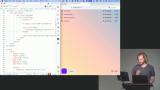 Rich creates dynamic routes using square-bracket syntax and shows how the resolve utility builds URLs safely. He then adds a remote function to fetch file data by ID, checking user credentials before granting access.
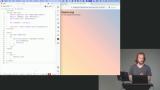 Rich builds components for viewing different file types, including images and a fallback view, using parameterized dynamic imports in Vite. He then assembles a file previewer that picks the right viewer component based on file type.
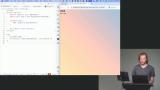 Rich customizes error pages with a +error.svelte file, controlling what users see for different error scenarios. He also covers logging unexpected errors to the terminal, redacting sensitive data, and briefly touches on the handleError hook.
Advanced File Handling
Section Duration: 1 hour, 1 minute
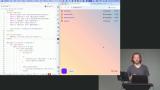 Rich builds a custom drop zone using the native drag-and-drop API instead of a plain file input. He adds accessible markup, wires up the drag and drop event handlers, and styles the zone with Flexbox so it fills the available space.
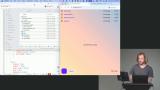 Rich extends the upload feature to handle entire folders by recursively reading a dropped directory's contents with the File System Entry API. He converts the upload logic into remote commands, recurses through nested folders, and fixes a bug where folders never transitioned from a pending to a ready state.
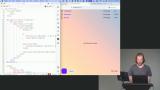 Rich builds a folder snippet using a details element to display files and folders, pulling children from the getFiles query. He adds folder icons, adjusts CSS for indentation, and starts optimizing away unnecessary duplicate network requests.
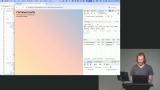 Rich tackles data-fetching efficiency by refreshing queries inside other queries, collapsing multiple requests into one. He shows how this avoids request waterfalls and makes nested data loading noticeably faster for the user.
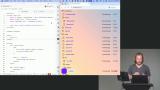 Rich adds sorting to the file list with a form of radio inputs and a button that updates the URL. He then implements client-side navigation so the sort state persists across reloads and server-side rendering.
 Rich creates a production preview using pnpm build and pnpm preview --host, and explains why adapters matter for platforms like Vercel, Netlify, and Cloudflare. He then logs in and demonstrates the app running as a local production build, including dragging files onto it.
Wrapping Up
Section Duration: 4 minutes
 Rich closes out the course by recapping what was covered including components, reactivity, events, bindings, the Svelte CLI, routing, data loading, forms, and error handling. He encourages students to stay engaged with the Svelte community, pointing to resources and events like those run by Svelte Society.
Earn a Completion Certificate
After completing this course, you'll receive a certificate of completion that serves as proof of your achievement, showcasing your expertise, and commitment to professional development. You can easily share this certificate on your LinkedIn profile to highlight your new skills and demonstrate continuous learning to potential employers and professional connections.