3Play Media
Professional AI Dev Setup, v2

2 hours, 38 minutes
CC
Course Description
What's new in v2?
This course focuses on tailoring skills, subagents, and workflows to your development process.
Turn repetitive engineering tasks into cost-effective, reusable workflows. Learn caching strategies and how to ensure your agents have the right context. Build skills, delegate work to specialized subagents, and orchestrate workflows that run in parallel. Create a customized AI development setup built around how you and your team actually work.
Prerequisite: Experience using AI coding assistant like Codex or Claude Code.
Preview
Course Details
Published: October 29, 2026
Learning Paths
Learn Straight from the Experts Who Shape the Modern Web
Your Path to Senior Developer and Beyond
- 300+ In-depth courses
- 24 Learning Paths
- Industry Leading Experts
- Live Interactive Workshops
Table of Contents
Introduction
Section Duration: 16 minutes
 Steve Kinney begins the course by emphasizing the overall goal: Get the intended work done while managing costs, rate limits, and organizational constraints. He focuses primarily on Claude Code but notes that many concepts, such as skills, hooks, agent configuration, sub-agents, and workflows, apply across tools like Codex, Cursor, Copilot, and others. He also recommends regularly refreshing configuration files and applying these techniques to real codebases, since AI models and harnesses evolve quickly.
 Steve explains the difference between models and harnesses. The harness is the tools and systems surrounding a language model. Steve distinguishes the model as the “brain” that generates text from the harness as the “body” that enables tool use, permissions, web searches, and other actions.
Cost Management
Section Duration: 27 minutes
 Steve explains how to choose AI models based on task complexity, capability, speed, and cost. He demonstrates a model pricing calculator and explains token usage, cached inputs, and the financial differences between large and smaller models.
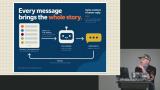 Steve explains how AI model token usage and prompt caching affect cost and performance. He shows how each new message includes the full conversation history, causing input tokens to grow over time, while prompt caching can reduce the cost of previously processed content.
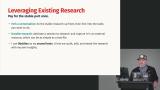 Steve explains how to manage AI coding sessions more effectively by separating research and planning from implementation. Forking or summarizing conversations preserves important findings in durable Markdown files and keeps project plans up to date, avoiding wasted tokens and outdated context. Steve also discusses the costs and tradeoffs of compaction, model switching, caching, and starting fresh sessions.
Skills & Subagents
Section Duration: 1 hour, 19 minutes
 Steve introduces skills, which are markdown files that provide AI models with additional, context-specific instructions, loaded only when needed, helping reduce confusion and unnecessary costs. He covers the structure of a skill, including its name, description, body, reference files, and scripts, and shows how these components can support recurring workflows such as setting up development environments or reviewing pull requests.
 Steve walks through advanced skill configuration, focusing on context forks, agent assignments, tool permissions, and invocation controls. Context forks isolate complex research tasks, such as reviewing CI logs or identifying relevant test files, so only the useful conclusions return to the main conversation. Defining clear input and output contracts improves reliability and avoids common configuration mistakes.
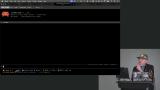 Steve creates a custom skill that uses Playwright to create development environments, validate applications, and generate tests. His advice is to think of skills as a way to simplify repetitive tasks while emphasizing the importance of planning, reviewing, and iterating on them.
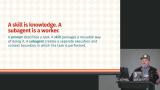 Steve introduces subagents and explains how they work alongside a main AI agent, handling independent tasks within their own context windows and returning focused results. He demonstrates how skills and sub-agents can coordinate workflows such as reviewing front-end components, checking API contracts, triaging Jira tickets, and writing tests.
 Steve highlights his “junior engineer” agent that identifies unclear requirements, reviews plans, and flags potential blockers before implementation begins. Using subagents for critical reviewers, second opinions, confidence scores, and iteration improves quality while controlling costs.
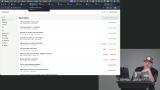 Steve creates a series of subagents to explore, understand, and improve a messy software repository. He also introduces workflows for gathering advice, running tests, identifying root causes, and creating dependency-based implementation plans.
 Steve shares tips for multitasking with subtasks, which run in a separate thread with their own context window. This is great for context isolation, worktrees, skills, and workflows that help teams investigate issues, create proposals, develop failing tests, and validate solutions in parallel. T
 Steve spends a few minutes discussing how to orchestrate exploratory agents to analyze a legacy codebase and generate an interactive architecture artifact. Steve also compares terminal and desktop environments, highlighting desktop-based code review, browser inspection, and inline annotations as ways to create a tighter development loop.
Workflows, Goals, & Loop
Section Duration: 33 minutes
 Steve introduces workflows and explains the benefits of durable execution, parallel sub-agents, failure handling, and the ability to adjust a workflow without repeating completed work. He also highlights key limitations, including restricted JavaScript-like syntax, deterministic execution requirements, limited system access, and the need to design tasks that do not require human clarification.
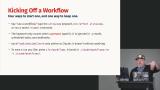 Steve creates a repeatable AI workflow to organize tasks, review requirements, test implementations, and verify results while allowing different AI models to handle tasks based on cost and complexity. He recommends identifying repetitive tasks, turning them into skills, and developing customized workflows that improve productivity and consistency.
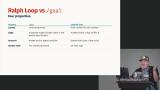
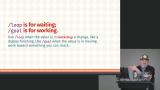 Steve explains how to use loops and explicit goals to iteratively complete software tasks. He contrasts persistent goal-based workflows, which use a reviewing agent to verify progress, with fresh-session “Ralph Loops” that repeatedly run until a measurable condition. These strategies work best when success can be clearly defined and verified.
Wrapping Up
Section Duration: 1 minute
 Steve wraps up the course by recommending developers build systems tailored to their codebase, workflow, and goals rather than relying on off-the-shelf solutions.
Earn a Completion Certificate
After completing this course, you'll receive a certificate of completion that serves as proof of your achievement, showcasing your expertise, and commitment to professional development. You can easily share this certificate on your LinkedIn profile to highlight your new skills and demonstrate continuous learning to potential employers and professional connections.