3Play Media
Playwright: Automated Testing & AI Workflows

4 hours, 33 minutes
CC
Course Description
Catch broken UIs before they ship with Playwright! Learn end-to-end testing fundamentals as well as more advanced strategies such as mocking network requests and controlling authentication state. Build rock-solid verification loops that provide feedback to agentic coding tools and give you the confidence that your code is production-ready.
Prerequisite: Experience building production frontend apps with TypeScript and comfort with git.
Preview
Course Details
Published: June 2, 2026
Rating
Learning Paths
Learn Straight from the Experts Who Shape the Modern Web
Your Path to Senior Developer and Beyond
- 300+ In-depth courses
- 24 Learning Paths
- Industry Leading Experts
- Live Interactive Workshops
Table of Contents
Introduction
Section Duration: 19 minutes
 Steve Kinney introduces the course, discussing the main goal of how to build infrastructure that keeps agents honest and ensures code quality. He also briefly walks through the example Shelf Life app.
 Steve explains why end-to-end testing with Playwright is critical for giving engineers confidence that their applications and UIs behave as expected. Playwright also provides feedback for agentic coding tools to leverage during reviews. Combining Playwright with static analysis processing, like linters, can also be useful in legacy codebases.
Playwright Fundamentals
Section Duration: 1 hour, 25 minutes
 Steve walks through setting up the environment, covering cloning the repo, NPM install, and the key commands needed to prepare for writing and running tests. He also gives an overview of the course project so students know what they're working with.
 Steve explains how Playwright accesses browser internals and builds an accessibility tree, then walks through writing tests with expectations against it. He emphasizes why semantic HTML elements matter for keeping tests accurate and stable.
 Steve works through a live coding challenge, selecting elements, triggering interactions, and verifying outcomes using the Playwright SDK. He explains the importance of writing reusable code to build a testing foundation that holds up over time.
 Steve explains context engineering and why agents need the right information at the right time to do good work. He discusses how external loops and reinforcement tools like tests keep agents from calling something done before it really is.
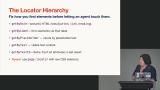 Steve breaks down the available locator methods, explaining when to use each one based on the structure of the DOM. He discusses why staying high in the hierarchy reduces flakiness and encourages students to practice on the Playground page.
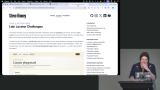 Steve works through a coding challenge focused on localization, walking through his thought process for navigating page elements and handling multiple languages. He covers best practices and flags potential pitfalls students are likely to run into.
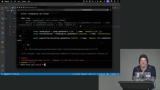 Steve demonstrates Playwright UI Mode for running and debugging tests visually, including inspecting failures and picking selectors from the page. He then shows Codegen, which records browser actions and turns them into test code. Together, they speed up writing and debugging UI tests.
Authentication and State
Section Duration: 1 hour
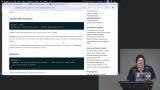 Steve walks through Playwright configuration, explaining how to reuse dev servers, manage ports, and group tests into projects. He shows how organizing tests by viewport, browser, or suite makes it easier to run only what you need.
 Steve frames the core challenge of testing apps that require a login, explaining why third-party auth providers like Google make this especially tricky. He walks through using Playwright's codegen to write a login test, filling in credentials and asserting that the app landed on the correct authenticated route.
 Steve explains why logging in on every test run is slow and brittle, then walks through using Playwright's storage state to serialize and reuse auth credentials across the suite. He demonstrates how to set up projects and dependencies so the auth setup file runs once before everything else, and covers how to swap in different auth states on a per-test basis.
 Steve walks through setting up a pre-test setup file and explains how to use projects and dependencies to handle auth and network state before the main suite runs. He also covers how to programmatically set cookies or local storage for different testing scenarios.
Network and Browser Isolation
Section Duration: 35 minutes
 Steve explains how to serialize browser storage types and walks through two approaches to mocking network requests using HAR files. He shows how deterministic network responses make it easier to test a wide range of scenarios reliably.
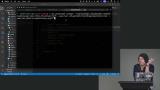 Steve demonstrates recording and replaying HTTP archives from the command line, walking through a real example of searching for books and adding them to a shelf. He explains how incorporating HAR files into tests creates stable, repeatable network interactions.
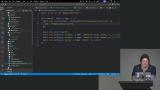 Steve walks through using recordings to interact with the OpenLibrary API, explaining how to update recordings and toggle between record and playback modes. He shows how this approach keeps tests stable even when working offline or against an unpredictable API.
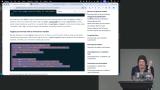 Steve explains how route-based mocking gives fine-grained control over API responses, demonstrating how to simulate error states like 404s and modify headers and bodies programmatically. He discusses why this flexibility is valuable for testing edge cases that are hard to trigger in a real environment.
Visual & Agentic Testing
Section Duration: 1 hour, 3 minutes
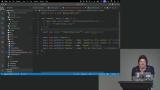 Steve discusses using recordings to generate screenshots for documentation, explaining how image difference thresholds can catch unexpected UI changes automatically. He shows how this approach builds confidence when refactoring by surfacing visual regressions early.
 Steve explains how traces give agents detailed failure context, covering how to configure capture with test names, file paths, screenshots, and video. He shows how having all that information upfront cuts down on the guesswork an agent has to do when a test fails.
 Steve works through a failing test live, setting up commit hooks and giving an agent clear criteria to resolve the bug on its own. He explains why well-defined success conditions are what make autonomous debugging actually work.
 Steve discusses Husky, lint-staged, and Left Hook, explaining how pre-commit and pre-push hooks enforce code standards before anything reaches the repo. He walks through how these tools can be customized to run formatting, tests, and checks for things like leaked API keys.
 Steve breaks down the difference between the Playwright MCP and the Playwright CLI, covering how each one works and the tradeoffs between them. He also walks through the init agents command and the three sub-agents it scaffolds (Generator, Healer, and Planner), showing how they can be customized and dropped into your workflow.
Wrapping Up
Section Duration: 9 minutes
 Steve wraps up the course by making the case that as you advance in your career, your real job was never typing code but architecting systems you can be confident in. He connects that idea to everything covered in the course and then opens up for Q&A, fielding questions on HAR file composition, Figma screenshot diffing, and how far to trust an agent driving your live browser.
Earn a Completion Certificate
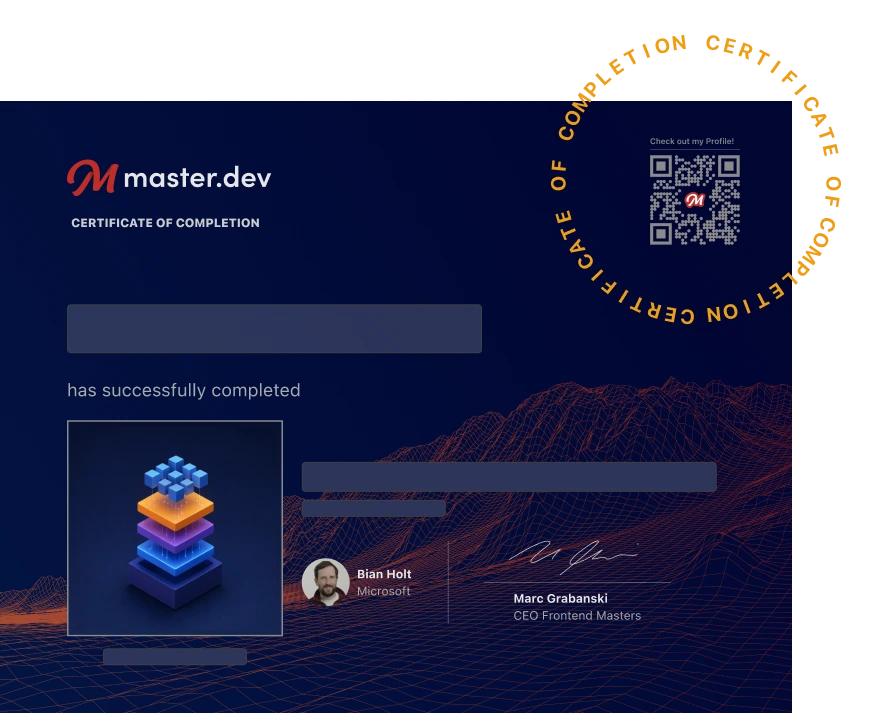
After completing this course, you'll receive a certificate of completion that serves as proof of your achievement, showcasing your expertise, and commitment to professional development. You can easily share this certificate on your LinkedIn profile to highlight your new skills and demonstrate continuous learning to potential employers and professional connections.
What They're Saying
I'm really impressed by Steve's expertise. He introduces some incredibly important concepts that go far beyond Playwright itself. This really feels like the foundation for how software development with AI is going to work. The topic and the ideas themselves are excellent. Thank you, Steve!

Alex Stepanov
Very engaging, and I actually implemented Playwright into one of the projects at work using this course side by side.

Sourabh Beniwal
This course was a game changer for me
Marco Liu