3Play Media
Personal Agents with OpenClaw

2 hours, 35 minutes
CC

Course Description
Connect OpenClaw to your models, devices, and services and automate tasks with your own personal AI assistant! Establish clear boundaries for who can use your assistant and what it can access. Build scheduled and event-driven automations that handle emails, calendars, browsers, and even home devices. Use Telegram for remote communication and deploy your agent to the cloud with Railway and Tailscale so you can access it from anywhere!
Prerequisite: Basic comfort with the terminal and some exposure to AI coding tools. Access to ChatGPT, Claude, or a local model is also required.
Preview
Course Details
Published: November 10, 2026
Learn Straight from the Experts Who Shape the Modern Web
Your Path to Senior Developer and Beyond
- 300+ In-depth courses
- 24 Learning Paths
- Industry Leading Experts
- Live Interactive Workshops
Table of Contents
Introduction
Section Duration: 12 minutes
 Steve begins the course by introducing OpenClaw. He explains how OpenClaw can connect a central gateway to local devices, then highlights the resources and examples located on the course website.
 Steve discusses how to install and configure OpenClaw using its desktop app. He explains how OpenClaw can connect to hosted, local, or subscription-based models and previews deploying it to a VPS, connecting other devices, and securing access through a VPN.
Getting Started with OpenClaw
Section Duration: 39 minutes
 Steve walks through configuring an AI assistant, focusing on when to use multiple agents with separate permissions, tools, memory, and instructions. He explains how to select primary, utility, decision, and fallback models, connect providers, and adjust settings such as web search and fast mode. He also highlights the need to securely store API keys and to exercise caution when granting the assistant access to browser cookies, email, or other sensitive services.
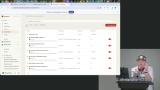 Steve explores a more advanced setup with scheduled automations, remote computer access, VPN security, and messaging integrations. He demonstrates how these systems can manage calendars and email, trigger API actions, control home devices, and send notifications only when something important requires attention.
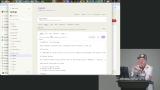 Steve configures an AI agent using Markdown files that define its rules, user preferences, personality, and standing instructions. Agents can maintain a main session, create separate project sessions, and use conversations to refine their behavior over time.
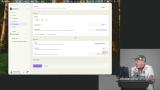 Steve introduces condition triggers that customize automations with webhooks, channels, or other external events. If permissions are a concern, using Apple's container system or a VPS can keep the agent constrained to an isolated environment.
Channels & Integrations
Section Duration: 45 minutes
 Steve explains how to access OpenClaw remotely through mobile apps and messaging channels such as Telegram, Slack, Discord, and Signal. He sets up a Telegram bot, pairs it securely with an OpenClaw instance, and uses it to send messages, trigger automations, and receive notifications while away from the computer.
 Steve uses the OpenClaw Doctor to update and troubleshoot desktop and CLI installations. Oftentimes, a gateway restart is required when the software is updated or specific settings are changed.
 Steve connects OpenClaw to the Google Cloud API. OAuth credentials are required, and it is recommended to follow a least-privilege access strategy, starting with read-only permissions when possible.
 Steve demonstrates how AI agents can automate tedious tasks by connecting to email, calendars, APIs, browsers, and other services. He explores practical examples like summarizing emails, finding local events, tracking guitar prices, and compiling research.
Remote Connections
Section Duration: 23 minutes
 Steve explains how to securely access personal devices remotely without exposing them directly to the public internet, focusing on Tailscale as an easy VPN solution. He connects his devices to a Tailscale network, then pairs them with OpenClaw to remotely control devices, send commands, and automate tasks across locations.
 Steve introduces the ACPX plugin for controlling external tools such as Claude Code and Codex CLI. This extends the capabilities of OpenClaw by enabling multiple agentic tool use and workflows within a single system.
 Steve demonstrates how to set up an ACP session and configure external triggers, such as webhooks or messages, to steer an ongoing coding task, making it easier to respond to events like CI failures.
Deployment
Section Duration: 33 minutes
 Steve walks through several deployment options for OpenClaw, ranging from simple plug-and-play services to fully configurable VPS hosting. He demonstrates deploying OpenClaw on Railway with Tailscale for secure network access, persistent storage, and easy container replacement.
 Steve connects a Mac as a remote “leaf node” to an OpenClaw instance running in the cloud. He highlights the benefits and trade-offs of local computers versus VPS hosting, then shows how the cloud-based OpenClaw can remotely control connected devices, open browser windows, and manage tasks from almost anywhere.
 Steve combines web research, scripting, and audio generation to create a five-minute podcast from Hacker News articles. He explains that these workflows could be automated for recurring briefings or practical tasks, while encouraging students to experiment creatively with playful projects rather than just productivity tools.
 Steve explains how AI systems can develop and organize long-term memories by reflecting on recent interactions, ranking recurring themes, and eventually writing useful information into memory files. Regularly reviewing these memories can help clear outdated or incorrect ideas.
Wrapping Up
Section Duration: 1 minute
 Steve wraps up the course by encouraging students to be creative. Common projects like daily reviews are useful, but experimenting with creative or even ridiculous ideas leads to deeper learning.
Earn a Completion Certificate
After completing this course, you'll receive a certificate of completion that serves as proof of your achievement, showcasing your expertise, and commitment to professional development. You can easily share this certificate on your LinkedIn profile to highlight your new skills and demonstrate continuous learning to potential employers and professional connections.