Laravel
Getting Started with Laravel
4 hours, 10 minutes
CC
Course Description
Build a modern, full-stack app with Laravel, React, and Inertia.js. Learn how Laravel handles the request lifecycle through routes, controllers, models, and middleware. Scaffold authentication, background jobs, and automated user emails. Deploy the finished app and see how Laravel helps teams ship full-stack products faster.
Prerequisite: Experience building single-page applications with JavaScript or a framework like React, familiarity with HTTP and basic REST concepts, some database experience, and comfort using the terminal.
Preview
Course Details
Published: September 28, 2026
Topics
Learn Straight from the Experts Who Shape the Modern Web
Your Path to Senior Developer and Beyond
- 300+ In-depth courses
- 24 Learning Paths
- Industry Leading Experts
- Live Interactive Workshops
Table of Contents
Introduction
Section Duration: 6 minutes
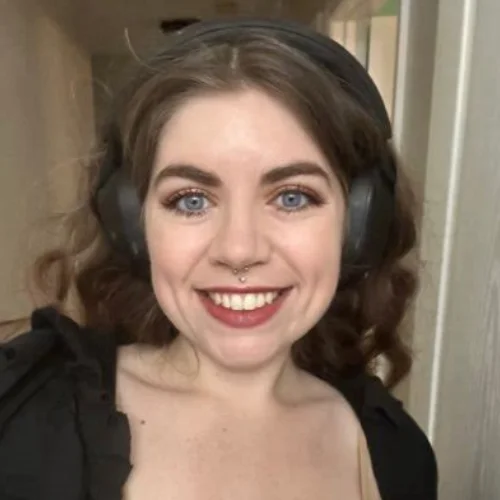
 Leah Thompson introduces the course by explaining what Laravel is, why it's a batteries-included MVC framework, and sharing her background as a DevRel engineer at Laravel. She then demos the Meetupy application the class will build, showing how features like RSVPs, authentication, authorization, and email notifications come together in the finished product.
Laravel Fundamentals
Section Duration: 1 hour, 14 minutes
 Leah walks through setting up the local development environment using Laravel Herd to install PHP, Composer, the Laravel installer, and Node. She then creates the Meetupy application with the laravel new command, configuring it with the React starter kit and Laravel's built-in authentication.
 Leah tours the newly created Laravel project's folder structure, highlighting the app, resources, and routes directories and explaining how Laravel Boost auto-configures AI agent folders.
 Leah creates a simple "hello" route in web.php to demonstrate basic Laravel routing syntax. She also introduces Artisan commands, using php artisan route:list to show all registered routes in the application.
 Leah uses an Artisan command to generate an EventController and adds an index method to it, explaining Laravel's RESTful naming conventions. She then updates the events route to reference this controller method, and names the route for easier future reference.
 Leah tours the Laravel documentation, highlighting the controllers and database query builder sections. She then introduces Eloquent as the ORM that sits between the app and the SQLite database, letting developers query data through PHP objects instead of raw SQL.
 Leah creates MeetupGroup and Event models with migrations using Artisan commands, then defines each table's columns, including foreign keys, nullable fields, and a unique slug. She runs the migrations and confirms the tables were created correctly using a database viewer.
 Leah maps the Eloquent relationships between models: MeetupGroup belongsTo User, User hasMany MeetupGroups, MeetupGroup hasMany Events, and Event belongsTo MeetupGroup, while also setting fillable attributes on each. She emphasizes defining both sides of each relationship so the models can be queried in either direction.
 Leah seeds the database with demo users, meetup groups, and events using a prebuilt seeder file, then runs it with php artisan db:seed. She updates the EventController to query events with eager-loaded relationships and renders them to the React front end using Inertia.
CRUD Routes & Form UI
Section Duration: 1 hour, 15 minutes
 Leah imports the provided React/TypeScript frontend files into the project and updates the events index page to map over the events prop and render basic event info. She also demonstrates resetting the database with php artisan migrate:fresh --seed when seeding issues come up.
 Leah adds a show route and controller method using route model binding, then configures the Event model's getRouteKeyName so URLs use the slug instead of the ID. She wires up the EventCard component and Wayfinder-generated links so clicking an event on the index page navigates to its individual show page.
 Leah adds routes and a controller method for creating events, then generates a StoreEventRequest to hold the form validation rules for each event field. She creates the store method, which validates the submitted data, generates a slug from the title, and saves the new event using Eloquent's mass assignment.
 Leah builds the front-end create form using Inertia's form component and the Wayfinder-generated store action, then adds a "Create Event" link on the index page. The group works through several debugging issues, including a stray space in a route method name and a validation rule typo, before successfully creating a new event.
 Leah adds routes and controller methods for editing events, using a patch request and an UpdateEventRequest for validation, while keeping the slug unchanged so shared URLs stay stable. She wires up the edit form and an edit button on the show page, then closes the section by noting that authorization is still needed so only meetup group owners can create or edit their own events.
Authorization & Background Jobs
Section Duration: 1 hour, 13 minutes
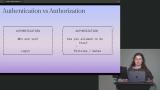 Leah restricts the create page so it only sends the current user's own meetup groups, then adds a rule to StoreEventRequest verifying the submitted meetup group actually belongs to the authenticated user. She also adds a canCreateEvent prop to conditionally hide the "Create Event" button for users who don't own any meetup groups.
 Leah creates an EventPolicy with an update method that checks whether the authenticated user owns the event's meetup group, then enforces it in the controller's edit and update methods using Gate::authorize. She sends a canEdit prop to the show page to conditionally display the edit button, and verifies the authorization by testing with both a regular user and the seeded organizer account.
 Leah sets up a many-to-many relationship between users and events for RSVPs, creating a event_user pivot table migration with a unique constraint on the event/user pair. She then maps the relationship on both sides, adding a users method to the Event model and preparing to add the inverse on the User model.
 Leah finishes the many-to-many relationship by adding an events method to the User model, then creates RSVP routes and an RsvpController with store and destroy methods that sync or detach the current user from an event. She updates the event show page and controller to display RSVP status and attendee count, debugging several import and type errors along the way.
 Leah introduces jobs, queues, and workers as the mechanism for sending an RSVP confirmation email without delaying the user's response. She reviews the local .env configuration, showing the queue connection uses the database driver and the mailer is set to log emails locally instead of sending them.
 Leah creates a SendRsvpEmail job that accepts a user and event, then builds an RsvpConfirmation mailable class to define the email's subject and content. She brings in a prebuilt Blade markdown template for the email and wires the mailable into the job's handle method.
 Leah dispatches the SendRsvpEmail job from the RsvpController and starts a queue worker with php artisan queue:work to process it. After fixing a failed job caused by a missing date cast on the Event model, she confirms the confirmation email renders correctly in the log.
Deployment
Section Duration: 19 minutes
 Leah recaps how Inertia connects the Laravel backend to the React frontend, letting controllers pass data as props without a separate API layer. She also reviews how Wayfinder generates TypeScript helpers for Laravel routes and controller actions, keeping the frontend in sync with backend changes.
 Leah deploys the Meetupy application to Laravel Cloud, provisioning a managed MySQL database and seeding it in production. She demonstrates scale-to-zero resources, custom domains, and notes that email and queues would need additional configuration to fully work in production.
Wrapping Up
Section Duration:
 Leah wraps up the course by reviewing everything covered, from routes and controllers to migrations, relationships, Inertia and React, validation, authentication and authorization, RSVPs, jobs and queues, and deploying to Laravel Cloud. She closes by emphasizing that the goal was understanding Laravel's fundamentals and how its pieces fit together, not covering every feature.
Earn a Completion Certificate
After completing this course, you'll receive a certificate of completion that serves as proof of your achievement, showcasing your expertise, and commitment to professional development. You can easily share this certificate on your LinkedIn profile to highlight your new skills and demonstrate continuous learning to potential employers and professional connections.