TheAltF4Stream
Kubernetes: Production-Grade Container Orchestration

7 hours, 56 minutes
CC
Course Description
Confidently deploy and manage containerized applications on Kubernetes. Build a core mental model behind pods, deployments, and services as you scaffold a durable infrastructure. Configure and test health probes, safe rollbacks, and autoscaling all on your local computer. Experience a production-ready Kubernetes deployment as you push your cluster to Amazon EKS.
Prerequisite: Experience familiarity with Docker, Git, the command line, and AWS.
Preview
Course Details
Published: September 2, 2026
Rating
Learning Paths
Learn Straight from the Experts Who Shape the Modern Web
Your Path to Senior Developer and Beyond
- 300+ In-depth courses
- 24 Learning Paths
- Industry Leading Experts
- Live Interactive Workshops
Table of Contents
Introduction
Section Duration: 6 minutes
 Erik begins the Kubernetes by sharing his background and passion for DevOps and platform engineering. The goal of this course is to provide a practical, production-grade understanding of Kubernetes through hands-on scenarios. It's broken into three parts: Proof of Concept (beginner experience with Kubernetes), Stable (creating declarative manifests for team collaboration), and Production (auto-scaling with GitOps on a real Kubernetes cluster in AWS).
Getting Started with Kubernetes
Section Duration: 59 minutes
 Erik discusses the core mechanism behind Kubernetes known as "the loop," explaining how it continuously reconciles the desired state with the actual state to keep systems consistent. He breaks down key concepts like reconciliation and loop frequency, using relatable analogies such as cruise control, oven thermostats, and a restaurant kitchen to illustrate how Kubernetes components self-update. Erik highlights why this simple, repeatable principle makes Kubernetes both highly debuggable and more scalable than traditional orchestration tools.
 Erik presents Kubernetes as a universal standard API for managing containerized applications across diverse environments, from local laptops to cloud and edge devices. Users declare resources once, and Kubernetes manages running them anywhere without environment-specific configurations. This standardization simplifies multi-cloud strategies by enabling consistent management across cloud providers.
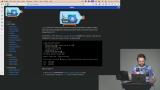 Erik introduces Kind, a tool for spinning up local Kubernetes clusters inside Docker containers. He covers the installation and how to create, configure, and delete clusters declaratively with kubectl. Kind is also ideal for learning and local development rather than production use, emphasizing that Kubernetes itself is a thin API layer that cloud providers and tools like Kind implement underneath.
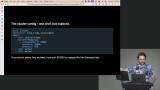 Erik creates a cluster from a configuration manifest file. Kind runs nodes as containers on any system, enabling multi-node testing without complex VM setups. Kubernetes abstracts node types across environments, enabling scalability from tiny local clusters to large cloud deployments. Understanding cluster-level management is crucial to avoiding limitations and frustrations with Kubernetes.
 Erik explains that a pod is an abstraction that can hold one or more containers. He walks students through creating and deleting a pod imperatively via `kubectl run` and `kubectl delete`, showing how the CLI actually generates a manifest behind the scenes rather than hitting the API directly.
Deployments & Self Healing
Section Duration: 30 minutes
 Erik transitions from pods to deployments, explaining that a deployment acts as a self-healing "wrapper" that watches over a pod and maintains a desired replica count, unlike a standalone pod that simply disappears when deleted. Erik demonstrates creating a deployment with kubectl create deployment, checking status with kubectl get deployments,pods, and then deletes a running pod live to show Kubernetes almost instantly detecting the failure and recreating it.
 Erik spends a few minutes comparing pods with nodes. Erik then demonstrates scaling a deployment up and down, watching pods transition through pending, creating, and running states in real time. He encourages students to install k9s, a terminal UI for managing Kubernetes.
 Erik creates a Postgres deployment and monitors the failure in k9s. The deployment fails because it's missing the environment variables. Once the environment variables are added, the Kubernetes reconciliation loop heals the deployment.
Services & Postgres
Section Duration: 45 minutes
 Erik recreates a fresh Kubernetes cluster from scratch with the Kind CLI. Once the cluster is created, he uses kubectl to create the sample-app deployment and Postgres database.
 Erik takes the first steps for exposing pods through services. He explains that pods run a container, deployments manage a container's lifecycle, and services expose pods, enabling communication and stable access despite ephemeral pod IPs.
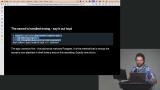 Erik introduces NodePort and contrasts it with port forwarding. NodePort opens a random port on the host to expose a service; simple but limited and ephemeral. Port forwarding is a CLI-based, temporary proxy to access pods or services without exposing ports externally. The best solution is an Ingress which is a more advanced, standardized resource for routing external traffic to services, supporting consistent and manageable access.
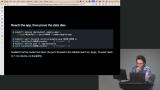 Erik demonstrates what while the cluster can repair itself when a pod is deleted, however, a Postgres pod without a volume loses all data upon pod deletion due to ephemeral storage. Persistent storage requires attaching a volume or file system to maintain data across pod restarts.
Imperative to Declarative
Section Duration: 39 minutes
 Erik spends a few minutes explaining the consensus algorithm used by Kubernetes. Kubernetes uses Raft in its etcd data store to maintain fault-tolerant, consistent state. Raft elects a leader node to coordinate state changes, requiring a majority quorum. Without a quorum, the cluster can deadlock, unable to elect a leader. Raft ensures reliable consensus despite failures, critical for Kubernetes self-healing.
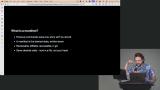 Erik explains that a manifest is a written, stored, and reviewable desired state of a Kubernetes cluster. They are stored in Git, manifests are diffable, recreatable, and provide a single source of truth outside the cluster. Developers can view cluster configurations without direct cluster access, improving security and clarity.
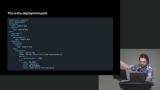 Erik explores the deployment manifest and transitions into discussing labels. Labels are metadata tags assigned to resources (pods, deployments, services) used for grouping and discovery. Selectors match labels to route traffic; services use selectors to find pods.
Health Checks & Resource Management
Section Duration: 23 minutes
 Erik stresses the importance of Health checks for production deployments to inform Kubernetes when an app is truly ready to receive traffic. Without health checks, Kubernetes only knows if an app is running, not if it is functioning correctly. Effective health checks can include verifying connections to dependent services like databases.
 Erik introduces environment variables, which can be set directly on pods, but lack scalability for shared configurations. Config maps store non-sensitive configuration data (e.g., hosts, ports, database names) that multiple services can share. Secrets store sensitive data (e.g., passwords) encoded in base64, not encrypted, requiring careful handling. Erik also demonstrates how namespaces create logical boundaries for apps or tooling, isolating resources like secrets and config maps.
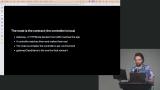 Erik explains that Kubernetes previously used Ingress resources with vendor-specific controllers for routing. The Gateway API standardizes routing definitions across vendors, simplifying management. Routes define traffic flow, and controllers implement routing per environment. The Gateway API allows swapping controllers without changing routing manifests.
Rebuilding the Cluster
Section Duration: 1 hour, 12 minutes
 Erik recreates the full cluster from scratch. After creating the cluster, he configures the pods, deployments, scaling, and networking, and tests the database connection. Erik also demonstrates that the database is not durable and will reset if the deployment is deleted.
 Erik begins migrating the deployments and services from commands to manifest files. He creates manifests for deployment, postgres, and services. These manifests can be added to source control and included in the repo.
 Erik explains that probes allow Kubernetes to monitor if an app is running and healthy. They enable Kubernetes to safely remove and replace failing containers. After probes are applied, Erik demonstrates that the pod restarts when a failure is detected.
 Erik introduces ConfigMaps and Secrets. ConfigMaps store non-sensitive configuration data (e.g., host, port), while secrets store sensitive data (e.g., passwords) and are base64 encoded, not encrypted. Base64 encoding ensures data integrity for multi-line data or special characters, but it is not a secure form of encryption.
 Erik configures traffic and routing for the cluster using the Gateway API, an emerging Kubernetes standard. It replaces less scalable methods, such as node ports, by providing gateways (listeners) and HTTP routes to direct traffic to services. Routes are portable Kubernetes resources; controllers are environment-specific.
 Erik troubleshoots an issue with the Kubernetes ingress configuration and provides a patch that involves patching the NGINX gateway config to schedule it on control plane nodes with tolerations for taints. Yes, those are technical terms in Kubernetes.
Operators & CRDs
Section Duration: 41 minutes
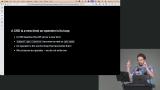 Erik transitions to Operators and Custom Resource Definitions (CRDs). Operators manage complex applications like databases within Kubernetes. CRDs extend the Kubernetes API with new resource types, allowing users to define custom objects like "clusters" or application-specific resources. The CloudNativePG operator is installed to replace the existing postgres service.
 Erik implements a durable Postgres database with CloudNativePG. Durable means persistent and long-living, not just data storage, but the entire ecosystem, ensuring survival and recovery. Credentials are stored securely in Kubernetes secrets and referenced in application deployments, replacing hard-coded environment variables.
 Erik introduces Kustomize, which is a tool that merges multiple YAML manifests into a single combined manifest. It allows organizing manifests into a base directory and wiring them together with a kustomization.yaml file. This provides an additional templating layer on top of standard Kubernetes manifests, enabling better environment management without changing the underlying Kubernetes schema.
 Erik reviews the application up to this point and the progress made in transitioning from a manual Kubernetes proof of concept to a stable, declarative local cluster setup. The next steps are to prepare the cluster for production and migrate it from a local environment to Amazon EKS.
Autoscaling & GitOps
Section Duration: 1 hour, 24 minutes
 Erik implements autoscaling using the Horizontal Pod Autoscaler (HPA) and the metric server. Autoscaling is managed by HPA, which dynamically adjusts pod replicas based on CPU usage. The metric server collects CPU and RAM usage metrics from pods. Erik runs a bash script locally to simulate a DDoS attack and monitors the cluster's scaling.
 Erik highlights the safe rollout and rollback features. If a new deployment fails readiness checks, rollout stalls, but old pods remain active, preventing downtime. Rollouts can get stuck if cluster resources are insufficient, requiring autoscaling or manual intervention. Rollbacks rely on stored manifests to restore previous configurations.
 Erik explains the difference between a voluntary disruption or planned maintenance, like node draining to avoid unexpected downtime, and an involuntary disruption or unexpected pod crashes requiring recovery.
 Erik introduces Role-Based Access Control (RBAC) which defines what actions a user or pod can perform within a Kubernetes cluster. Roles define the allowed verbs on resources and role bindings attach roles to subjects like users or pods. Service accounts act like user identities for pods to authenticate with the Kubernetes API.
 Erik begins configuring a GitOps workflow with Argo CD. Argo CD continuously synchronizes the Kubernetes cluster state to match the Git repository. This approach provides two sources of truth: the Git repo and the cluster itself. One Argo CD instance typically manages one Kubernetes cluster, though multi-Argo CD setups are possible. This setup simplifies cluster management and enhances developer productivity through GitOps principles.
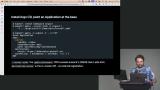 Erik synchronizes the manifests from the repo and applies them to the cluster. Sync policies like automated prune and self-heal enable Argo CD to automatically maintain the desired state. A benefit of this approach is that multiple applications or clusters can be managed within a single repo by organizing manifests in different directories. Application names can be reused across different resource types without conflict.
 Erik creates an EKS cluster on AWS using a preset YAML manifest. AWS CLI authentication is required, preferably with admin-level permissions. The cluster creation runs CloudFormation stacks in the background, visible via AWS Console. NOTE: AWS charges by the hour for EKS clusters, so be aware that you will be charged until you delete all the cloud resources.
 Erik adds secure secret management integrated with GitOps workflows like Argo CD. A sealed secret is an encrypted Kubernetes secret that can be safely committed to a repository. The sealed secrets controller, running inside the Kubernetes cluster, holds the private key to decrypt sealed secrets.
EKS Clusters
Section Duration: 1 hour, 8 minutes
 Erik outlines the transition from a local Kubernetes environment using Kind to a managed cloud Kubernetes service with Amazon EKS. He highlights the differences in architecture, cost, management, and features between local clusters and EKS.
 Erik uses Persistent Volume Claims (PVCs) and storage classes to enable dynamic volume provisioning. Pods need to claim a PVC before using the storage. Annotations and labels are used to configure storage behavior and policies.
 Erik creates a load balancer configuration, target group configuration, and gateway class resources to link the Kubernetes Ingress to AWS ALB. Once the gateway class is accepted and the load balancer configuration is recognized, the actual AWS resources are provisioned.
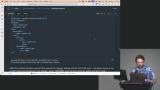 Erik exposes the cluster to the internet. The gateway resource in Kubernetes translates to an AWS ALB in EKS. Creating a gateway automatically provisions an ALB with open ports and routing rules. The same Kubernetes manifests can work across multiple environments with minor adjustments.
 Erik uses Kustomize to combine YAML manifests. These environment overlays provide a shared base configuration for your app and let you apply environment-specific changes on top of it for dev, staging, and production.
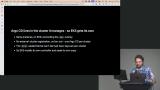 Erik highlights the benefits of a GitOps workflow with EKS. Encrypted secrets and Argo CD manifests are committed and pushed to a Git repository. Argo CD automatically syncs the application state from Git to the EKS cluster. Application deployment is automated with features like auto-sync and self-healing.
 Erik stresses the importance of observability in managing Kubernetes clusters. He recommends starting with built-in and platform-native monitoring tools, as they are simple, no-cost options to leverage before considering more complex, paid solutions.
 Erik spends a few minutes demonstrating how to clean up all the resources created in AWS to avoid unintended charges. NOTE: EKS bills by the hour so make sure you follow all the steps in this lesson!
Wrapping Up
Section Duration: 4 minutes
 Erik reviews how the course progressed from foundational concepts to production readiness on laptops, then to cloud deployment. He encouraged DevOps engineers to dive deeper into the documentation for Kubernetes, Cloud Native PG, Argo CD, and Sealed Secrets.
Earn a Completion Certificate
After completing this course, you'll receive a certificate of completion that serves as proof of your achievement, showcasing your expertise, and commitment to professional development. You can easily share this certificate on your LinkedIn profile to highlight your new skills and demonstrate continuous learning to potential employers and professional connections.
What They're Saying
I enjoyed this course and learned a lot. The course was very detailed and practical.

Adam Burucs
Excellent course! Exactly what I needed to scale up my project.

Aniebiet Afia