Staff Software Engineer
Frontend Architecture: Monoliths to Microfrontends

3 hours, 32 minutes
CC
Course Description
Become your team's expert in software architecture! Explore how different architectural patterns translate to real-world projects. Learn to manage complexity while you apply practical strategies for scaling a frontend application from a single monolith all the way to a microfrontend.
Prerequisite: Experience building frontend applications and comfort working with GitHub and CLI tools.
Preview
Course Details
Published: July 13, 2026
Rating
Learning Paths
Learn Straight from the Experts Who Shape the Modern Web
Your Path to Senior Developer and Beyond
- 300+ In-depth courses
- 24 Learning Paths
- Industry Leading Experts
- Live Interactive Workshops
Table of Contents
Introduction
Section Duration: 18 minutes
 Maxi Ferreira introduces the course by outlining the journey from monoliths to micro frontends, covering software architecture fundamentals and different methods for scaling frontend codebases incrementally. He breaks down the course into key areas including architecture pillars, monoliths, mono repos, and micro frontends, covering different versions and communication between them.
 Maxi explores the concept of software architecture, discussing how it involves making decisions to create a better structure for code bases based on business goals, quality attributes, and constraints. He outlines the four pillars of software architecture - architectural style, characteristics, decisions, and logical components - comparing them to building a character in a role-playing game to help students understand and evaluate different architectures.
Monoliths Architecture
Section Duration: 57 minutes
 Maxi outlines the project scope, focusing on building an e-commerce platform similar to Shopify for a startup using a monolithic architecture. He explains the C4 model for visualizing architecture, starting with a system context diagram to provide a high-level overview before zooming in to explore specific components like the admin web application built with React.
 Maxi demonstrates how to update a link in a component to include a query parameter based on the order ID, allowing users to navigate back to the correct page. He then explores the concept of unclear boundaries in codebases, illustrating how crossing boundaries between different modules can lead to a 'big ball of mud' architecture and the importance of balancing deployment units and modularity in software design.
 Maxi explores various architectural patterns like layer architecture, clean architecture, hexagonal architecture, domain-driven design, atomic design, and feature slice design to help students understand how to create a module monolith. He emphasizes using subdomains from domain-driven design to identify modules, define folder structures, and establish boundaries for a modular monolith approach.
 Maxi instructs students to identify different subdomains in an e-commerce application by examining the UI and codebase for hints like navigation and routes, then define a folder structure organizing modules, screens, features, and components, emphasizing consistency over any specific structure.
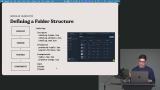 Maxi explains the importance of encapsulation in creating a modular system, emphasizing the need for boundaries to prevent cross-layer dependencies. He then guides students through setting up ESLint rules using the boundaries plugin to enforce architectural rules in JavaScript code bases.
 Maxi instructs students to implement ESLint boundary rules using the capture property to prevent cross-module dependencies, while allowing modules to depend on themselves and making exceptions for shared concerns like authentication.
 Maxi introduces Dependency Cruiser as an alternative to ESLint for enforcing architectural boundaries, then wraps up the modular monolith section by reviewing remaining pain points and briefly introducing monorepos.
Monorepos Architecture
Section Duration: 48 minutes
 Maxi demonstrates how to transform a monolith into a Mono Repo by bringing all repositories together into a single workspace, breaking parts into multiple packages, and adopting Mono Repo tooling like toolbar repo. He guides students through creating folders, moving files, setting up a package.json file, defining workspaces, and running scripts to successfully convert the application into a monorepo.
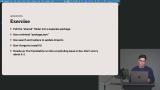 Maxi instructs students to break down a monorepo into multiple packages, starting with pulling the shared folder into its own package and updating imports, then repeating the process for all packages including an application shell, modules, shared, UI, and tooling.
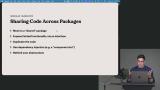 Maxi explores different methods for sharing code across packages, discussing trade-offs and options like moving everything to a shared package, exposing limited functionality via an interface, duplicating code, and using dependency injection. He outlines the benefits of monorepo tooling like TurboRepo for caching, task orchestration, and managing dependencies efficiently, highlighting how it can improve build times and streamline development processes.
 Maxi instructs students to implement module boundaries using TurboRepo by tagging packages and defining rules to ensure dependencies flow in the desired direction, then running npm commands to catch errors like circular dependencies and incorrect package relationships.
 Maxi demonstrates how to generate dependency graphs using TurboRepo scripts, allowing students to visualize package dependencies and understand their project structure. He then explores the TurboRepo DevTools as an alternative method for visualizing package hierarchies and filtering dependencies for deeper analysis.
Micro Frontends Architecture
Section Duration: 1 hour, 23 minutes
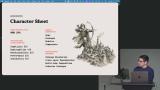 Maxi explores the characteristics and trade-offs of a modular monolith in a monorepo architecture, discussing scalability, simplicity, and deployability. He compares the challenges of build times and runtime component sharing within this architecture, setting the stage for a deeper dive into micro frontends as a potential solution.
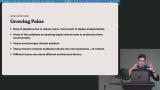 Maxi outlines the growing pains that may prompt the adoption of micro frontends, such as the need for teams to deploy independently and the divergence of architectural drivers among different teams. He then explores different flavors of micro frontends, including using iframes for isolation, leveraging web components for runtime composition, and considering libraries like Module Federation for route-based orchestration.
 Maxi demonstrates setting up independent applications on different ports and shows how to proxy requests between them, allowing seamless navigation while keeping them separated. He explains the use of local storage for sharing state between apps running on the same server, highlighting the benefits and limitations of this approach for maintaining client-side data persistence.
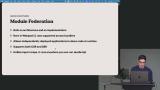 Maxi explains the concept of Module Federation, distinguishing it as both an architecture and an implementation, and highlights its ability to share code at runtime between different deployed applications. He demonstrates setting up Module Federation by guiding students through installing the runtime tools, creating a split for an analytics application, and configuring the host and remote applications to negotiate shared dependencies like React and React DOM.
 Maxi demonstrates updating the router to use a screen that was exposed, guiding students through importing components asynchronously in React using react-lazy, and explains the importance of adding a suspense boundary when loading components asynchronously to handle loading states.
 Maxi instructs students to expose a component from the Analytics remote and import it into the dashboard, replacing an existing chart. He then demonstrates adding error handling to prevent the host app from crashing when the remote is unavailable, identifying a missing await as the key fix.
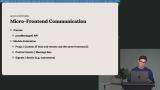 Maxi explains the different communication options between micro frontends, such as using the post message API with iframes or passing properties with module federation to share state between the host application and remote components. He emphasizes the importance of decoupling micro frontends from the rest of the application by avoiding heavy reliance on props to maintain their independence and unique purpose.
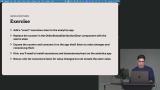 Maxi instructs students to decouple state using Nanostores by installing the library, creating atomic stores, and implementing listeners to prevent external state mutation, shifting state ownership from a dashboard to a micro frontend component.
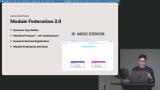 Maxi explains the enhancements and new features introduced in Module Federation 2.0, such as the MFManifest.json for standardizing micro frontend usage and the ability to register a remote at runtime. He then guides students through upgrading their application from Module Federation 1.5 to 2.0 by installing the RSBuild plugin, making necessary updates in the RSBuild config, and automatically generating type definitions to streamline the process of managing components.
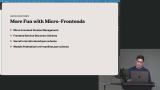 Maxi explores the concept of managing microfinance deployment by discussing frontend service discovery patterns and proposing schemas like microfinance.json and mfmanifest.json. He outlines the differences between using turbo repo and module federation to handle multiple versions of dependencies in a microfinance setup, emphasizing the importance of making informed decisions in a distributed architecture.
Wrapping Up
Section Duration: 3 minutes
 Maxi wraps up the course by outlining the drawbacks of unnecessary module federation, including CSS conflicts and styling issues, before summarizing the key topics covered, from foundational architecture concepts to modularity in monoliths and when to adopt micro frontends based on cost analysis.
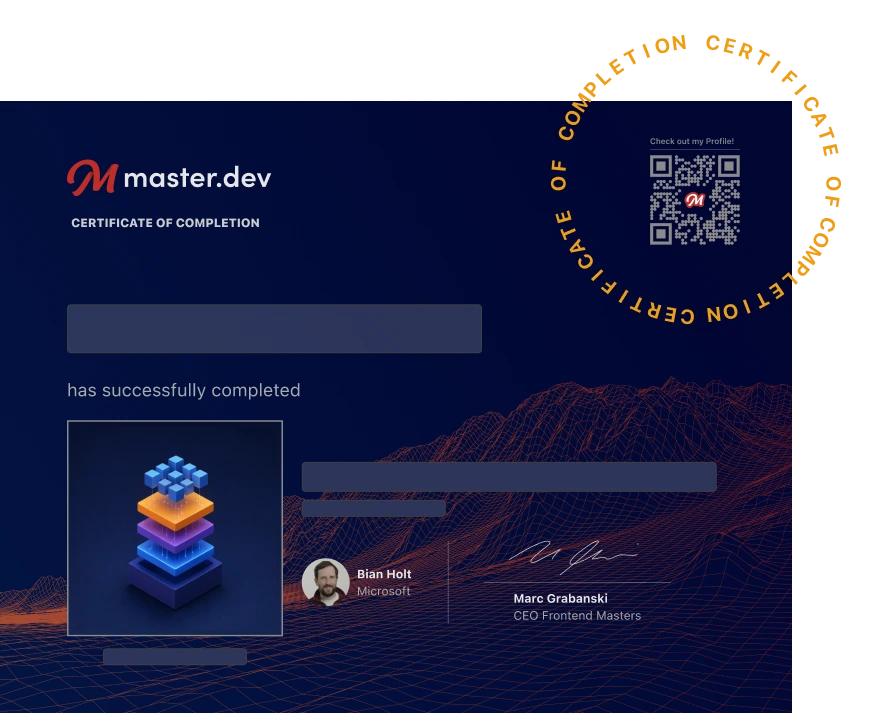
Earn a Completion Certificate
After completing this course, you'll receive a certificate of completion that serves as proof of your achievement, showcasing your expertise, and commitment to professional development. You can easily share this certificate on your LinkedIn profile to highlight your new skills and demonstrate continuous learning to potential employers and professional connections.
What They're Saying
This is the kind of content that's hard to find out there. Maxi's teaching style is incredible and the examples really help solidify the knowledge. I now find myself spending hours analyzing codebases to learn more. :)

Alexsandro Silva Alves
Great course for understanding how to transition from monolithic applications to micro-frontends. Maxi has a great ability to explain complex concepts in a simple and easy-to-understand way. Highly recommended!

Alejandro Monasterios
Very clear explanation of the frontend architecture concepts. Super helpful when deciding right time to scale from monolith > monorepo > microfrontends. Thank you so much!

Jose Pablo Juarez Vargas