Microsoft
Complete Intro to Databases, v2

6 hours, 42 minutes
CC
Course Description
What's changed in v2?
Version two of this course covers the same foundations of PostgreSQL, Mongo, Neo4j, and Redis and includes new lessons on implementing vector search with Postgres and the DuckDB columnar database.
Gain hands-on experience using relational, document, graph, key-value, and columnar databases. Learn foundational database skills like schema design, writing queries, and optimizing performance, so your apps stay fast. Build AI-powered features with vector search and RAG. Confidently choose the right database for your next app!
Prerequisite: Experience using
the command line and
Node.js
Preview
Course Details
Published: May 11, 2026
Rating
Learning Paths
Learn Straight from the Experts Who Shape the Modern Web
Your Path to Senior Developer and Beyond
- 300+ In-depth courses
- 24 Learning Paths
- Industry Leading Experts
- Live Interactive Workshops
Table of Contents
Introduction
Section Duration: 17 minutes
 Brian Holt opens the course by outlining its goal as an introduction of different database types, helping students match problems to the right tools. He explains the transition from CLI-based querying to connecting databases with Node.js. He also highlights the open-source nature of the course and notes that it’s accessible even to those with minimal JavaScript experience.
 Brian previews the databases covered in the course, including MongoDB, Postgres, Neo4j, Redis, and DuckDB. He explores setup options like Docker and package managers, giving flexibility depending on the learner’s environment. He also recommends using an LLM to revisit setup steps and troubleshoot issues.
 Brian explains database schemas, describing them as the structure that defines how data is organized, similar to spreadsheet columns. He contrasts strict schema systems like Postgres with schemaless approaches like MongoDB. He also introduces specialized systems such as search engines, wide column stores, message brokers, and multimodal databases.
SQL Fundamentals
Section Duration: 1 hour, 34 minutes
 Brian breaks down SQL databases as relational systems and clarifies how the term differs from “NoSQL.” He compares relational databases to spreadsheets with structured tables and contrasts them with document-based NoSQL systems. He builds intuition around how each model organizes data.
 Brian defines SQL as a standardized query language while noting that database-specific features can reduce portability. He compares MySQL, MariaDB, and SQLite, highlighting their differences and ownership. He also emphasizes the growing popularity and flexibility of Postgres, especially with extensions like PG Vector.
 Brian walks through running Postgres in Docker, including using a container with PG Vector preinstalled. He covers setting secure credentials, verifying containers, and connecting via command line tools. He also reinforces how databases organize tables and can be separated by use case.
 Brian demonstrates how to create a table, focusing on column definitions, data types, and constraints. He explains why limits and rules like NOT NULL or UNIQUE are important for maintaining data integrity. He then shows how to insert and query data to reinforce the concepts.
 Brian begins by having students import a sample dataset and work with it in queries. He demonstrates how to limit results and use the WHERE clause to filter data effectively. He includes examples like comparisons and date-based filtering to refine outputs.
 Brian introduces aggregation as a way to summarize multiple rows into a single result. He also demonstrates updating records using SQL commands. He briefly highlights GUI tools like DBeaver and JetBrains products for managing databases visually.
 Brian explains foreign keys and their role in maintaining relationships between tables. He shows how constraints enforce consistency across related data. He also discusses options like cascading deletes or setting values to null for handling dependent records.
 Brian builds a message board example to demonstrate combining data from multiple tables. He introduces joins, including inner, left, and right joins, and explains how to structure clear, unambiguous queries. He uses practical examples to illustrate how each join type behaves.
 Brian explores subqueries as a way to nest queries and reference intermediate results. He discusses their performance tradeoffs and when alternatives like joins may be more efficient. He also shows how to rewrite subqueries and emphasizes understanding the dataset for accurate results.
JSONB & Vector Search
Section Duration: 1 hour, 18 minutes
 Brian explains how JSONB supports storing metadata without rigid schemas using a message board example. He also demonstrates efficient querying and emphasizes why JSONB is preferred over JSON.
 Brian demonstrates how to use the EXPLAIN command to analyze query performance and interpret cost output. He walks through creating an index to optimize queries and explains the trade-offs between read and write performance. He advises only adding indexes when real performance issues are identified.
 Brian explains compound indexes and how combining fields like board ID and time improves query performance. He demonstrates unique indexes to enforce constraints while boosting efficiency. He also introduces full-text search in Postgres and stresses monitoring slow queries.
 Brian transitions into connecting databases with code by providing examples for Postgres, Redis, and Neo4j. He guides students through setting up a Node project and explains key dependencies like Express and pg. He also emphasizes parameterized queries to prevent SQL injection.
 Brian introduces vector search and retrieval augmented generation (RAG) in the context of LLMs. He explains how vectors represent meaning and enable clustering based on similarity. He highlights the importance of using tools like PG Vector for these use cases.
 Brian walks through using Ollama to run LLMs locally and explains the setup process. He demonstrates generating embeddings, storing vectors in a database, and configuring the correct dimensions. He then shows how to query for similar content using embeddings and compares it to traditional text matching.
 Brian explains RAG and warns that poor retrieval can negatively impact LLM results. He emphasizes that bad data can be worse than no data at all. He also discusses the cost and complexity of implementing RAG effectively.
NoSQL Databases
Section Duration: 1 hour
 Brian introduces MongoDB as a flexible document database suited for unstructured data. He compares collections to tables and highlights how easily they can be created. He demonstrates inserting data and shows how Mongo infers data types.
 Brian demonstrates inserting and querying documents in MongoDB using JavaScript instead of SQL. He shows how to filter data, use projections, and apply logical and specialized operators. He highlights how these tools make querying flexible and powerful.
 Brian explains MongoDB’s insert, update, and delete operations with a focus on practical usage. He demonstrates updateOne, updateMany, and how to modify or increment fields. He also introduces upserts and stresses the importance of complete document structure.
 Brian explores performance optimization in MongoDB through indexes and query planning. He demonstrates creating compound, unique, and text indexes to improve efficiency. He also shows how text search works across document fields.
 Brian introduces aggregation in MongoDB as a way to group and analyze data. He demonstrates grouping animals by age and filtering subsets like dogs. He also shares a real-world example using MapReduce for fraud detection.
 Brian walks through setting up a MongoDB-backed Node app by configuring files and connecting to the database. He demonstrates performing searches and addresses concerns like injection risks. He also discusses schema design trade-offs, migrations, and tools like Drizzle for managing databases effectively.
Graph Databases
Section Duration: 53 minutes
 Brian introduces graph-shaped data as a way to model complex relationships between entities like movies, actors, and directors. He explains how Neo4j uses nodes and relationships to represent objects and their connections. He also highlights the role of properties and mentions alternatives like Neptune and Postgres.
 Brian walks through running Neo4j and explains the ports used for accessing its GUI. He demonstrates creating nodes and labels with Cypher, emphasizing syntax and readability. He also compares Cypher to LISP and shows how relationships are represented visually.
 Brian demonstrates using the Neo4j GUI to run queries and visualize graph data. He guides students through exploring datasets and retrieving results with varying levels of detail. He also explains how to query relationships and aggregate data effectively.
 Brian explores the six degrees of Kevin Bacon problem as a way to demonstrate graph traversal. He shows how to use shortest path queries and explains the importance of limiting search scope. He also connects this concept to recommendation systems and discusses integrating Neo4j with other databases.
 Brian explains indexing and query planning in Neo4j, noting that even simple indexes can significantly improve performance. He demonstrates how an index reduces scanned rows dramatically. He encourages further exploration into advanced optimizations like materialized views.
 Brian walks through setting up a Neo4j-backed project and explains the necessary files and configuration. He demonstrates connecting to the database and writing Cypher queries in a Node environment. He also emphasizes parameterized queries to prevent injection issues.
Key-Value Store Databases
Section Duration: 49 minutes
 Brian introduces key-value stores as a fast and efficient way to store and retrieve simple data. He explains their scalability and low-latency advantages. He also highlights common use cases like caching, session storage, and intermediary data.
 Brian demonstrates how Redis works by setting and retrieving values. He emphasizes the importance of namespacing keys for better organization. He also compares namespaces to tables for managing data effectively.
 Brian explains Redis data types, including strings, lists, sets, sorted sets, and hashes. He demonstrates how to manipulate these structures and retrieve values. He also touches on Lua scripting and cautions against overloading Redis with complex logic.
 Brian walks through building a simple server using Redis and Express. He demonstrates creating an API to track page views and explains how Redis supports this efficiently. He also introduces caching as a way to improve performance for expensive operations.
Columnar Databases
Section Duration: 43 minutes
 Brian introduces columnar databases and explains how they differ from row-based systems. He discusses OLTP versus OLAP workloads and their roles in analytics. He also explains ETL and ELT processes for moving and transforming data.
 Brian explains modern data formats like Delta Lake, Iceberg, and Parquet and their role in analytics. He highlights how these formats evolved and overlap in functionality. He also discusses the differences between data lakes, warehouses, and hybrid concepts like lakehouses.
 Brian introduces DuckDB as a lightweight database that operates directly on files. He demonstrates installing it and querying data from formats like Parquet. He also highlights its efficiency for analytical workloads.
 Brian explores how to choose the right database based on workload and data needs. He discusses trade-offs like read versus write performance and operational complexity. He also emphasizes familiarity, tooling, and long-term maintainability.
Wrapping Up
Section Duration: 5 minutes
 Brian wraps up the course by highlighting free data resources like Kaggle and Hugging Face for practice. He suggests learning paths across different technologies, including SQL, Next.js, and MongoDB. He also encourages following personal interests to build deeper expertise.
Earn a Completion Certificate
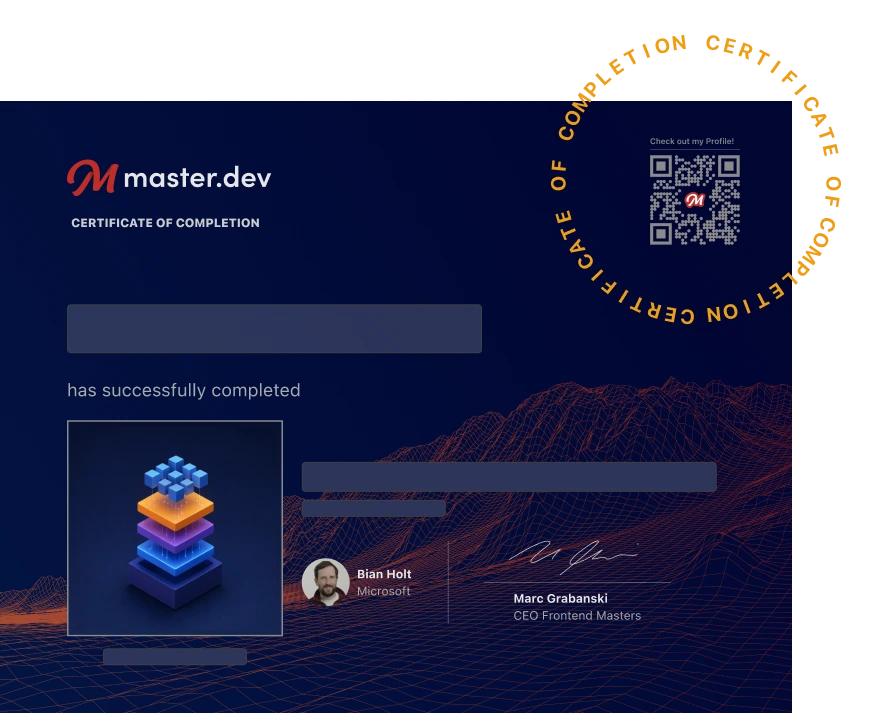
After completing this course, you'll receive a certificate of completion that serves as proof of your achievement, showcasing your expertise, and commitment to professional development. You can easily share this certificate on your LinkedIn profile to highlight your new skills and demonstrate continuous learning to potential employers and professional connections.
What They're Saying
Excellent material with the perfect amount of depth and resources to go deeper!

Keith Williams